



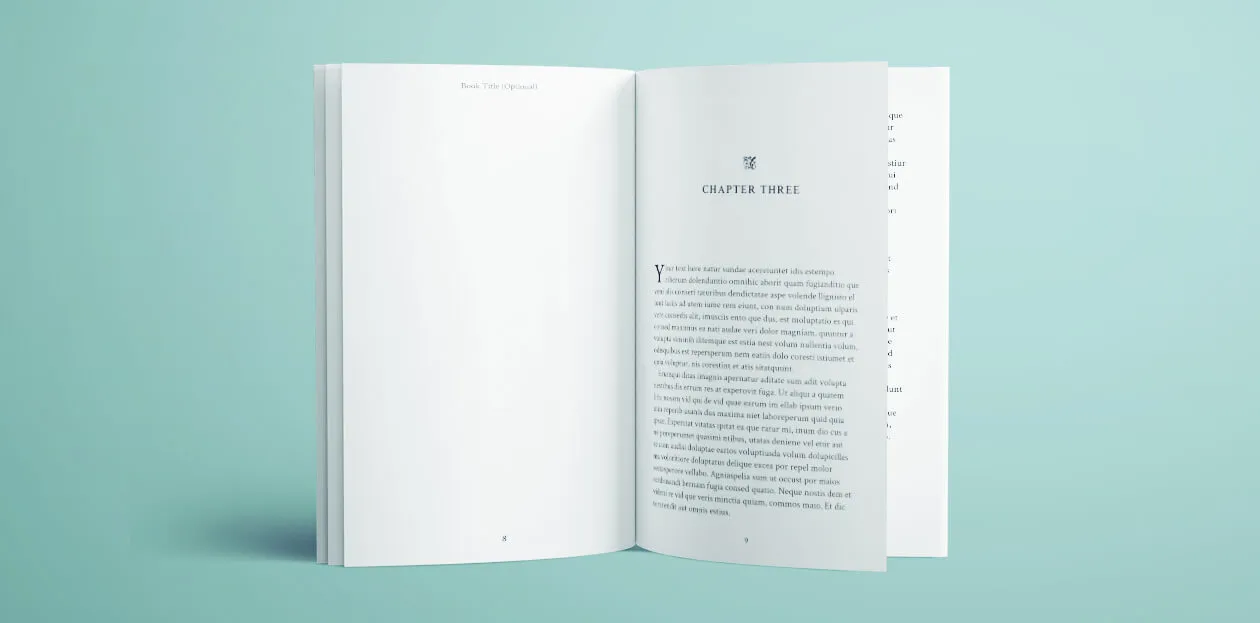
Publishing a book is a dream for many writers, but achieving a professional look can be challenging without proper formatting. Book formatting determines how your manuscript appears to readers, both in print and digital versions. It covers elements such as font choice, margins, line spacing, chapter headings, and overall page layout. For many authors, hiring a professional formatter can be costly. This is where free book formatting tools and techniques come in handy, helping you produce a clean and polished book without spending extra money.
Using free formatting methods allows authors to maintain control over their creative work while saving on production expenses. Whether you are preparing a paperback or an eBook, the right formatting ensures a smooth reading experience. Readers are more likely to enjoy and recommend a book that looks well-organized and easy to follow. Poorly formatted books, on the other hand, can distract readers and make them lose interest, regardless of how good the content is.
Understanding the basics of free formatting can empower you to handle the process yourself, eliminating the need for expensive software or professional services. From free online platforms to downloadable tools, there are numerous resources available for authors at every stage of the publishing journey. In this article, we will explore essential tips, tools, and best practices to help you format your book professionally without spending a single cent.
Understanding the Basics of Free Book Formatting
Before diving into specific tools, it is important to understand the core principles of formatting. At its most basic level, book formatting involves setting up your document so that it meets industry standards. This includes proper page size, consistent font usage, spacing, indentation, and alignment. Whether you are using Microsoft Word, Google Docs, or specialized free tools, these fundamentals remain the same.
When working on free book formatting, start by choosing the right trim size for your print edition. You should also select a clean, readable font such as Times New Roman or Garamond, typically in 11 or 12-point size. Margins should be set according to your printer’s guidelines, ensuring that text does not appear too close to the edge of the page.
For eBooks, formatting focuses on fluid text that adapts to various screen sizes. This means avoiding fixed layouts and ensuring that headings, paragraphs, and images adjust seamlessly on different devices. Book publisher refers to an individual or company that manages the production, printing, distribution, and marketing of a book.
Top Free Tools for Book Formatting
Several tools make free book formatting accessible to both beginners and experienced authors. These tools often come with pre-designed templates that meet publishing standards, saving you time and effort.
Reedsy Book Editor is a popular choice for authors who want a simple, professional layout. It works entirely online and offers clean templates for both eBooks and print editions. It allows you to import your manuscript and apply formatting styles with minimal effort.
For those who prefer desktop applications, LibreOffice is an open-source alternative to Microsoft Word and supports professional book formatting. Book publishers range from large traditional houses like Penguin Random House and HarperCollins to smaller independent presses. Each publisher has its own submission guidelines and may focus on specific genres or markets.
Common Mistakes to Avoid in Book Formatting
Even with the best free tools, authors sometimes make mistakes that can affect the final product. Overuse of fonts, inconsistent spacing, and improper alignment are common issues. A book with multiple font styles can appear unprofessional and distract from the story. Similarly, large gaps between paragraphs or inconsistent indentation can make reading uncomfortable.
Another mistake is neglecting to proofread after formatting. Formatting changes can sometimes shift text, create extra blank pages, or misalign images. Always review your book in preview mode before finalizing the file. If possible, print a proof copy to check how it looks in physical form.
While they save time, they may not always meet your exact needs. Adjust settings to ensure that your book’s layout matches your vision while adhering to industry standards. Publish my book is a common goal for authors seeking to share their work with readers.
Enhancing Your Book’s Appeal Through Formatting
Formatting is more than just arranging text, it also influences how readers perceive your work. Professional formatting can make your book appear more credible, increasing its chances of being recommended or reviewed positively. Adding elements like drop caps at the start of chapters, consistent chapter headings, and properly formatted tables of contents can elevate your book’s presentation.
If you are preparing a print version, consider how chapter breaks appear. Some authors choose to start each chapter on a new right-hand page for a cleaner look. In eBooks, hyperlinks in the table of contents can make navigation easier for readers.
By mastering free book formatting, you can create a final product that rivals professionally formatted books. This not only saves costs but also allows you to take full ownership of your creative process. Readers may not consciously notice perfect formatting, but they will certainly notice when it is missing or poorly done.
Free book formatting is an essential skill for any author looking to publish without incurring high costs. By understanding the basics, using reliable free tools, and avoiding common mistakes, you can produce a professional-quality book on your own. Whether you are working on a novel, memoir, or non-fiction guide, proper formatting ensures a pleasant reading experience and enhances your credibility as a writer.
With tools like Reedsy, Kindle Create, and LibreOffice, free book formatting has never been more accessible. The key is to approach the process with attention to detail, patience, and a willingness to learn. Once you master it, you will have the confidence to publish polished books without relying on paid formatting services. A well-formatted book can help you connect with readers, stand out in the market, and take your publishing career to the next level.


