



Publishing a book on Amazon’s Kindle Direct Publishing (KDP) platform is one of the most popular ways for authors to share their work with a global audience. However, while writing a book may take months or even years, many authors underestimate the importance of proper formatting. Poorly formatted books can turn away readers, lead to bad reviews, and even affect your sales. This is where using the right KDP book formatting software becomes essential.
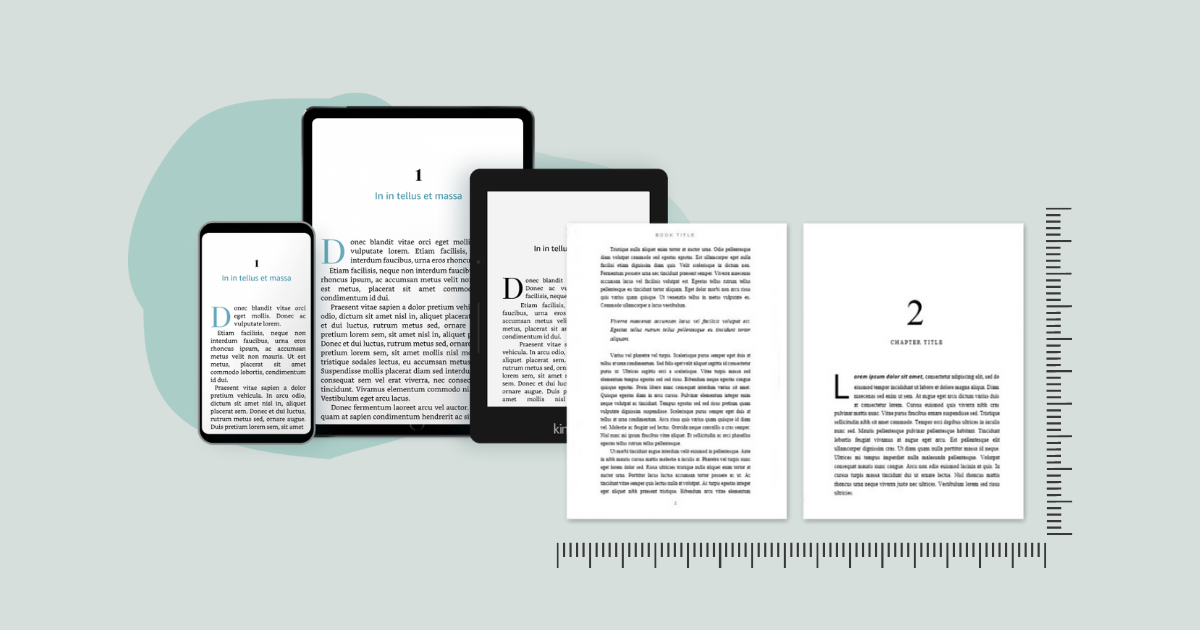
When you publish on KDP, your manuscript needs to meet specific guidelines to ensure it looks professional across devices, whether it is read on a Kindle, a tablet, or a smartphone. Formatting includes everything from adjusting margins and font styles to setting up page numbers, chapter headings, and spacing. Without these elements in place, your book might look messy and unappealing to readers.
You do not have to be a professional designer or a coding expert to create a beautiful, reader-friendly layout. There are several tools available that can automate much of the process, helping you focus on your content while still producing a professional-looking final product. In this guide, we will explore some of the best KDP book formatting software options available, what features they offer, and how you can choose the right one for your publishing goals. By the end, you will know exactly which tool will help you publish a polished, professional book with ease.
Understanding the Role of KDP Book Formatting Software
When it comes to creating a book for Kindle Direct Publishing, formatting is just as important as writing quality content. Using KDP book formatting ensures that your text, images, and page layouts are properly structured for Kindle devices. Without proper formatting, you might encounter issues like misplaced chapter headings, inconsistent spacing, or images that do not align correctly.
KDP’s requirements are specific. For example, the table of contents should be clickable, chapters should start on a new page, and all fonts should be readable across various devices. Good formatting software automates these processes, saving you hours of manual editing. It also helps you avoid rejection during KDP’s review process.
Moreover, professional formatting gives your book a competitive edge. With thousands of titles being uploaded to Amazon every day, readers will naturally gravitate toward books that look appealing and are easy to read. Ebook publisher platforms such as Amazon Kindle Direct Publishing (KDP), Apple Books, and Smashwords help authors distribute digital versions of their books. These services allow writers to upload their manuscripts, set prices, and reach global readers through major online retailers.
Top KDP Book Formatting Software Options
Finding the right tool depends on your budget, technical skills, and publishing goals. Some of the most popular software options include:
- Kindle Create: Amazon’s official formatting tool, Kindle Create, is free and easy to use. It allows you to import your manuscript, choose a theme, and apply automatic styling. The software is designed specifically for KDP, so you can be confident that your final file will meet all requirements.
- Atticus: This cutting-edge online book formatting tool is compatible with all devices. It provides cloud storage for your projects, an easy-to-use drag-and-drop editor, and customizable templates. Although it is a paid tool, it combines formatting and writing capabilities.
- Vellum: Vellum is highly regarded for its elegant, professional output. It is ideal for authors who want to create both eBook and print-ready files. The downside is that it is only available for Mac users and comes with a one-time purchase cost.
- Scrivener: While Scrivener is primarily known as a writing tool, it also offers powerful formatting capabilities. It can be more complex to learn, but it gives authors complete control over every formatting detail.
- Reedsy Book Editor: This free online tool allows you to format your book directly in your browser. It has a simple interface, supports collaboration, and exports KDP-ready files.
Benefits of Using KDP Book Formatting Software
Formatting software does more than just make your book look neat. Here are some benefits:
- Time-Saving: Automates tedious formatting tasks so you can focus on writing.
- Error Reduction: Minimizes formatting mistakes that could lead to KDP rejection.
- Professional Appearance: Gives your book a polished look that appeals to readers.
- Device Compatibility: Ensures your book displays correctly on all Kindle devices.
- Ease of Updates: If you need to change content later, good software makes updates quick and simple.
For example, if you decide to add an extra chapter after publishing, tools like Kindle Create or Atticus make it easy to reformat and upload the updated file without redoing the entire layout.
Self publishing gives authors full control over the publishing process, including editing, design, pricing, and marketing. It allows for faster release schedules and higher royalty rates compared to traditional publishing, making it a popular choice for indie writers
Choosing the Right KDP Book Formatting Software
Your choice will depend on factors like your budget, design preferences, and whether you want to format both print and digital versions. If you are on a tight budget, Kindle Create and Reedsy Book Editor are excellent free options. If you prefer advanced customization and professional layouts, Vellum or Atticus might be worth the investment.
Mastering the art of publishing on Kindle Direct Publishing starts with knowing how to present your work professionally. The right KDP book formatting can save you time, reduce errors, and ensure that your book meets Amazon’s strict publishing guidelines. Whether you choose a free tool like Kindle Create or a premium option like Vellum or Atticus, investing in proper formatting will always pay off in reader satisfaction and sales.
In conclusion, using KDP book formatting software is not just about following technical rules, it is about giving your readers the best possible reading experience. When your book is well-formatted, readers are more likely to leave positive reviews, recommend your work to others, and purchase your future titles. This makes formatting software not only a technical necessity but also a valuable marketing tool for any serious author. Self publishers are independent authors who manage the creation, formatting, and distribution of their own books.


