



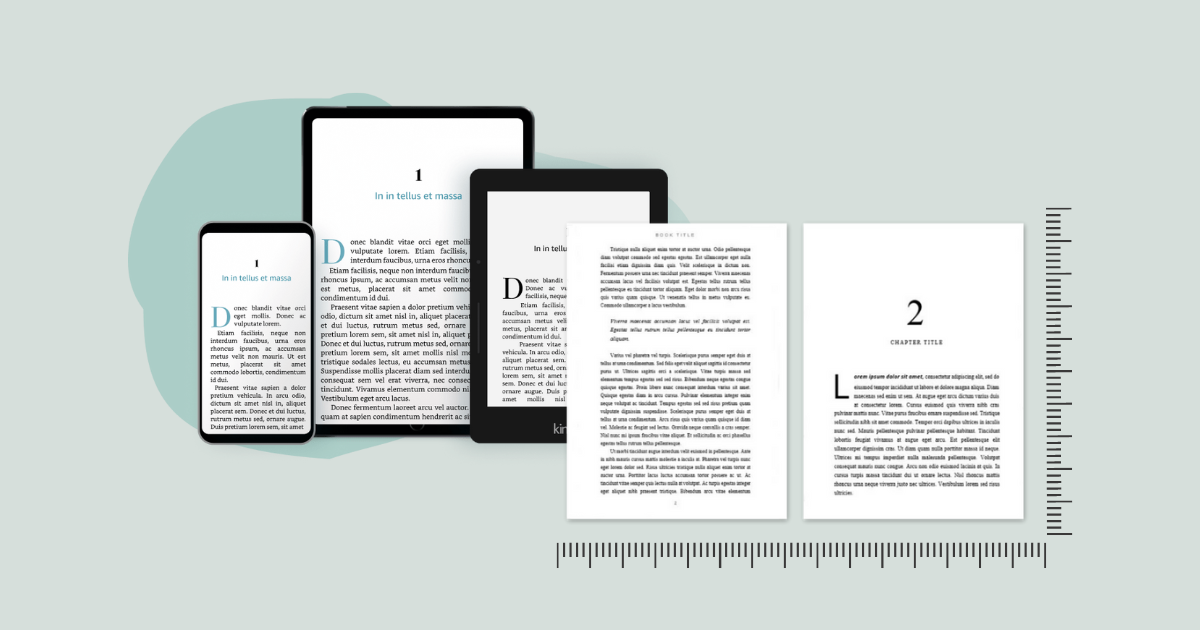
Self-publishing has become easier than ever, but one of the last hurdles for many writers is formatting their manuscript for print or ebook platforms. Whether you’re publishing on Amazon KDP, Apple Books, or another platform, your book must look polished and professional. Hiring a designer is an option, but it’s not always feasible, especially for new authors on a tight budget. That’s why many writers seek book formatting software free tools that offer quality without cost.
Free book formatting tools have come a long way. They’re now equipped with features once found only in premium applications. With the right free software, authors can create clean layouts, organize chapters, add front and back matter, and generate both EPUB and PDF files that are ready to upload. Some platforms even offer genre-specific templates and real-time previews.
In this article, we’ll walk you through the top free options, explore the features that matter most, and help you decide which tool is the best fit for your publishing goals. Whether you’re writing fiction, nonfiction, poetry, or memoir, there’s a free book formatting tool that can meet your needs without compromising on quality.
Best Book Formatting Software Free Options
When it comes to book formatting software free tools, Reedsy Book Editor stands out as one of the most user-friendly. It runs entirely online, allowing authors to drag and drop chapters, create automatic tables of contents, and export to EPUB or PDF. It also includes professional templates that give your book a clean, industry-standard appearance.
Other popular free tools include Draft2Digital’s formatting engine, which automatically converts uploaded Word files into formatted ebooks, and Calibre, a versatile desktop application known for ebook conversion. While Calibre is more technical, it offers advanced options for those willing to explore them.
LibreOffice is another free option, especially for authors who prefer offline tools. It’s an open-source word processor that supports custom styles and layout formatting. Though it lacks the simplicity of Reedsy, it offers flexibility and full control over formatting for those familiar with it. Ebook publisher platforms such as Amazon Kindle Direct Publishing (KDP), Apple Books, and Smashwords help authors distribute digital versions of their books. These services allow writers to upload their manuscripts, set prices, and reach global readers through major online retailers.
Why Formatting Matters for Self-Publishing
Your book’s appearance directly affects how readers perceive your work. In the middle of editing, many authors start researching how to make their books look more polished. Using book formatting software free solutions helps ensure you’re not sacrificing quality for cost.
Proper formatting affects everything from font choice and line spacing to paragraph alignment and page numbers. A poorly formatted book, no matter how well-written, can lead to bad reviews, returns, or unread pages. On the other hand, a well-formatted book appears professional and enjoyable to read across devices or in print.
Free software options give indie authors a competitive edge, allowing them to release high-quality work without upfront design costs. This is especially helpful for writers publishing multiple titles or series and needing a repeatable, budget-friendly solution. Self publishing gives authors full control over the publishing process, including editing, design, pricing, and marketing. It allows for faster release schedules and higher royalty rates compared to traditional publishing, making it a popular choice for indie writers.
Limitations of Free Formatting Tools
While free tools are incredibly helpful, they often come with some limitations. Some platforms restrict output types, for example, only allowing PDF or EPUB, but not both. Others may limit design choices or include small watermarks in the final export. That’s why it’s important to test each tool thoroughly.
Some authors using book formatting software free tools may also find limitations in customizing chapter headers, drop caps, or inserting images. While these features are sometimes locked behind paywalls, the basic formatting capabilities are still strong enough for most indie projects.
Still, the trade-off can be worth it. Many of these tools offer professional-looking results without a learning curve or subscription fees. Just be sure the tool meets the technical requirements of the platform where you plan to publish. Self publishers are independent authors who manage the creation, formatting, and distribution of their own books. They may use tools like Reedsy, Atticus, or IngramSpark to format and publish their titles in both digital and print formats.
How to Choose the Right Free Formatting Tool
Choosing the right book formatting software free tool depends on your book type, comfort with technology, and publishing platform. If you’re publishing a text-heavy novel, Reedsy or Draft2Digital may be perfect. For those needing more control or formatting for print-heavy projects, LibreOffice or Calibre might be better.
Look for features like chapter auto-numbering, page break management, and style consistency. If the software offers preview options, take full advantage. It’s easier to catch issues before exporting the final file.
Ultimately, your goal is to make the book look great and readable across devices and print formats. Test the tool’s output on a Kindle app, desktop, and printed PDF to ensure the design holds up in all scenarios.
Using book formatting software free is a smart move for authors who want to publish professional-quality books without breaking the bank. These tools allow you to format text, generate ebooks, and prepare for print with confidence. While they may not offer every feature found in premium software, they’re more than capable of producing polished, reader-ready work. Whether you’re launching your first book or your tenth, leveraging free formatting tools is one of the most budget-friendly ways to achieve publishing success.


