



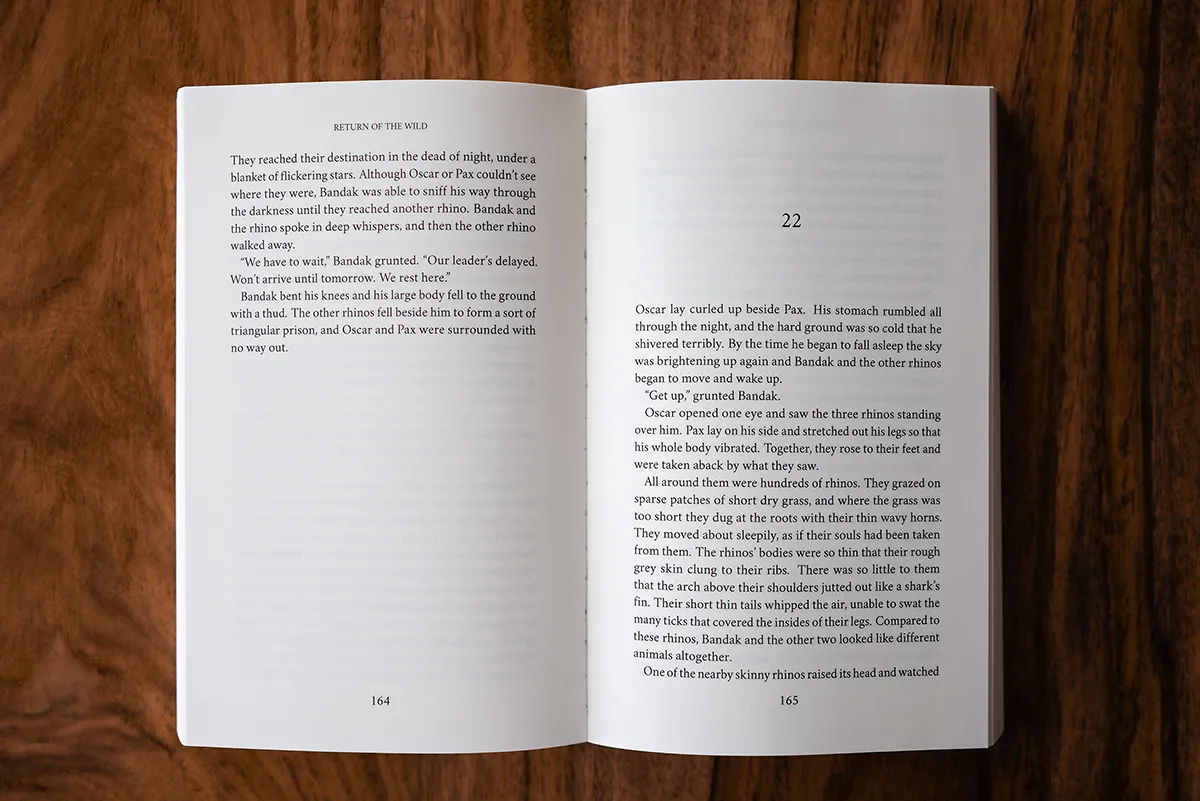
Creating a professional book layout is essential whether you’re self-publishing, submitting to a printer, or distributing your work online. One of the most universal file types for this purpose is the PDF. Learning how to format book PDF ensures that your layout, fonts, spacing, and design remain intact no matter what device or platform your reader uses. PDF files preserve formatting far better than Word documents or plain text files, making them the preferred option for print-ready and digital editions.
Authors often face challenges when converting their manuscript into a PDF format. These include inconsistent margins, improperly aligned text, missing headers, or oversized images. However, with the right tools and attention to detail, you can produce a PDF that not only looks professional but meets the specifications required by major print-on-demand services like Amazon KDP, IngramSpark, and Lulu.
This article will walk you through the steps of formatting a book in PDF, the best tools to use, the ideal dimensions and styles, and some common mistakes to avoid. Whether you’re formatting a novel, guidebook, or memoir, these techniques will help you achieve a layout that enhances your content rather than distracting from it.
Start With the Basics: How to Format Book PDF Step by Step
To understand how to format book PDF, start by selecting the software you will use. Microsoft Word, Google Docs, Adobe InDesign, and Canva are all viable options. Begin with a clean, edited manuscript. Set your page size to your desired trim dimensions (such as 6×9 inches for print books). Adjust the margins based on your printer’s requirements, usually around 0.75 inches for top and bottom and 0.5 to 0.75 inches for left and right margins.
Most authors use 11 or 12 pt font for body text and slightly larger sizes for chapter headings. Justify the body text for a neat look and use proper indentation or spacing between paragraphs. Insert page numbers and separate each chapter using page breaks instead of hitting the enter key multiple times.
Once you’ve formatted the entire manuscript, convert it to PDF using “Save As” or “Export to PDF” options in your word processor. Always preview the PDF to ensure nothing has shifted during the conversion process.
Book Illustration is a crucial element for genres like children’s books, comics, and educational content. Illustrators work with authors to create visuals that enhance storytelling, add emotional depth, and capture the reader’s imagination through artistic interpretation
Choosing Fonts, Images, and Layout Consistency
When preparing your midbody content, remember that clarity and consistency are essential. Do not use more than two font styles in your book. For example, use a serif font like Garamond or Times New Roman for the body and a sans-serif like Arial for chapter headings. This combination is readable and aesthetically pleasing.
Images must be high resolution (300 DPI) if the PDF is intended for print. Compress large images carefully so they don’t pixelate or distort. If your book includes illustrations, captions should follow the same formatting as the rest of the manuscript to maintain uniformity. Many beginners wonder how to format book PDF properly when images are involved; the key is spacing and alignment.
Book publishers handle the editing, design, production, and distribution of books across print and digital formats. They range from large houses with global reach to niche independent presses, often focusing on specific genres or markets.
Exporting the File for Different Uses
When your manuscript is completely formatted, exporting it correctly is crucial. Most programs will allow you to select output settings like page bleed, crop marks, and resolution. For eBooks, choose settings optimized for web or digital viewing. For print, use “Press Quality” or high-resolution export settings.
Before submitting or sharing your file, review the PDF on multiple devices. This includes laptops, tablets, phones, and dedicated eReaders. Check for layout shifts, cut-off images, or font inconsistencies. In this midbody step, one of the most frequent issues authors face with how to format book PDF is not previewing the exported version before distribution.
Use tools like Adobe Acrobat Reader to double-check bookmarks, hyperlinks (if applicable), and page numbers. Once finalized, your PDF should be ready to upload to Amazon KDP, share with beta readers, or send to a printing service. Publish my book is the main objective for authors seeking to share their stories with the world. Writers can choose traditional publishing by submitting to publishers or go the self-publishing route for more creative freedom and faster release timelines.
Popular Tools That Help Format PDF Books Quickly
Several software platforms make how to format book PDF easier for writers and publishers alike. Adobe InDesign remains the industry standard for precise control over layout and typesetting. However, it requires a learning curve and a subscription. For simpler needs, Reedsy Book Editor offers a free, online interface that formats books automatically and allows export as professional-grade PDFs.
Microsoft Word and Google Docs are familiar options that can format basic books effectively, though they require manual adjustments for spacing, margins, and headings. Atticus is another emerging tool that combines writing and formatting in one space. Canva also offers templates that can be exported as print-ready PDFs and are ideal for visually rich projects.
If you’re new to publishing, choose a tool that aligns with your technical comfort level and the book’s complexity. Understanding the range of tools available will help you streamline your formatting process and avoid problems later.
In today’s self-publishing landscape, knowing how to format book PDF is one of the most valuable skills an author can have. It allows you to retain full control over the presentation of your work, reduce publishing delays, and ensure your content reaches readers in its best possible form. Whether you’re preparing for print or digital release, a properly formatted PDF gives your book the credibility and polish it deserves. By following the techniques outlined here, you’ll be well-prepared to format your next manuscript into a professional, reader-friendly product.


