



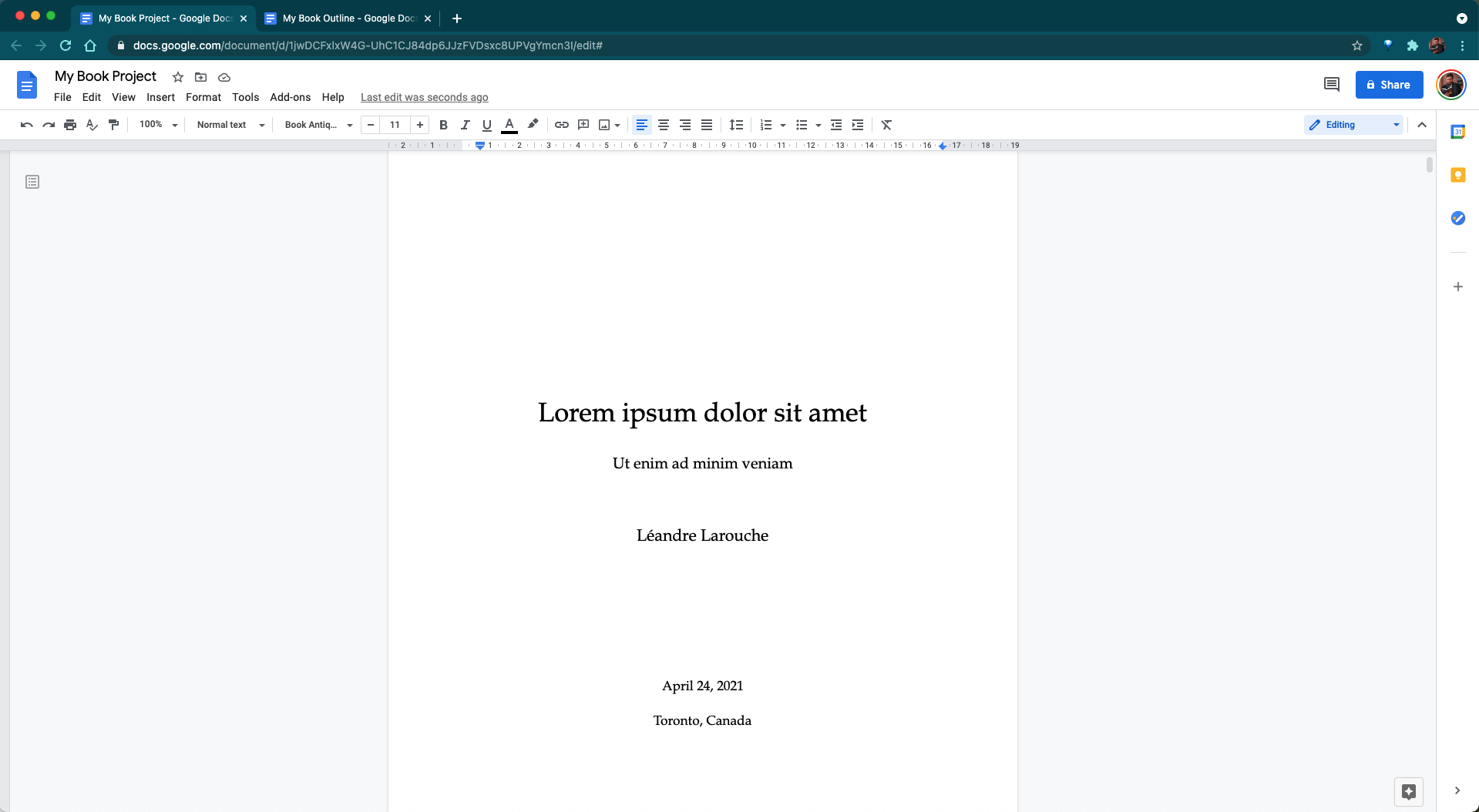
Creating a well-structured manuscript is key to any author’s publishing success, and one of the most helpful resources in that process is understanding how to format book template files. These templates provide a solid foundation for organizing your book’s content, styling it with consistent fonts and margins, and preparing it for digital or print release. Whether you’re self-publishing on Amazon Kindle Direct Publishing or working with a printer, starting with a professional template saves time and helps avoid layout mistakes.
A book template typically includes pre-set styles for chapter titles, body text, headers, footers, margins, and page numbers. Instead of formatting each section manually, the template allows you to plug in your content while automatically applying a professional layout. This is especially useful for beginners who may not know the technical details of book formatting.
How to format book template also reduces the stress of compatibility issues. Templates designed for Word, Google Docs, or InDesign are often created with publishing standards in mind, ensuring that your final manuscript meets the submission guidelines for online platforms. In this article, we’ll break down how to format a book using a template, from choosing the right file to customizing it for your story or non-fiction work.
Choosing the Right Tool: How to Format Book Template
When it comes to how to format book template files, your choice of software matters. You can find free book templates online that are pre-sized for 5″ x 8″, 5.5″ x 8.5″, or 6″ x 9″ trim sizes. Make sure the template includes mirrored margins, appropriate font styles, and placeholders for title pages, chapters, and back matter.
Google Docs is another accessible option. While it doesn’t have as many formatting features as Word or InDesign, it works well for collaborative editing and simple projects. Templates in Docs are easier to share and allow for real-time feedback from editors or beta readers.
Adobe InDesign is ideal for authors with more design experience. It offers advanced layout controls, particularly helpful if you plan to publish hardcover or illustrated books. However, it does have a steeper learning curve and comes with a cost. Self publisher authors handle every stage of the book publishing process themselves, from writing and editing to design and distribution. They often use platforms like Amazon KDP or Draft2Digital to release their books independently, retaining full creative control and earning higher royalties.
Customizing a Template to Match Your Book’s Style
Once you’ve chosen a template, the next step is to personalize it. Replace all placeholder text with your actual content, being careful not to delete any formatting codes or section breaks accidentally. Always copy and paste your text using “Paste without formatting” to avoid carrying over inconsistent fonts or spacing.
To give your book a unique feel, adjust the chapter headings, fonts, and page layout within the template. However, be consistent. Don’t change styles halfway through your manuscript. Templates provide a standardized appearance for a reason, they keep the reading experience clean and professional.
In the midbody section of your manuscript, using a book template makes it easier to maintain consistent formatting as you add charts, images, or quotes. Most templates already have designated styles for these elements. Stick to these guidelines, and your book will look polished and publisher-ready. Children’s book authors often focus on storytelling with simple language and strong visual elements to engage young readers.
Exporting the Template to PDF or Print Format
After your content is fully added and formatted, you’ll need to convert your template into a final file format like PDF or EPUB. For print books, PDF is the standard. Use Word’s “Save As” feature to export the book, making sure to select “Standard (publishing online and printing).”
Before exporting, check that your page numbers are correct, no widows or orphans (single lines at the top or bottom of pages) exist, and all fonts are embedded. This is especially important if you’re submitting to print platforms that reject improperly formatted files.
For digital books, you might need to convert your template into EPUB using tools like Calibre, Scrivener, or Kindle Create. Templates for digital publishing are slightly different, they often exclude page numbers and use simplified navigation to suit various e-readers. Book illustration plays a key role in genres like children’s literature, graphic novels, and educational materials. Illustrators help bring stories to life through visuals that match the tone, style, and message of the written content, and are essential for capturing reader interest, especially in younger audiences.
Why Templates Make Formatting Easier
A major reason to learn how to format book template correctly is to reduce the time spent on design and focus more on content creation. Templates offer a plug-and-play approach, where you simply insert your chapters and adjust a few settings, rather than starting from scratch.
In your fourth heading, let’s explore how different genres benefit from specific templates. A romance novel may use a flowing serif font and center-aligned chapter titles, while a business book might opt for bold headings, bulleted lists, and modern sans-serif fonts. Templates let you apply these preferences consistently across the entire manuscript without much manual adjustment.
Templates also make collaboration smoother. Editors can leave notes in a well-structured document, and changes won’t affect layout elements. This is particularly helpful for indie authors juggling writing, editing, and publishing on their own.
Learning how to format book template documents saves time, improves consistency, and ensures your final book meets professional publishing standards. By choosing the right software, personalizing styles, and exporting correctly, you give your manuscript the best chance at success. Templates eliminate guesswork, reduce formatting errors, and make self-publishing less intimidating for new authors. Whether you plan to release a paperback or an eBook, mastering template formatting is a valuable step toward bringing your story to the world.


