



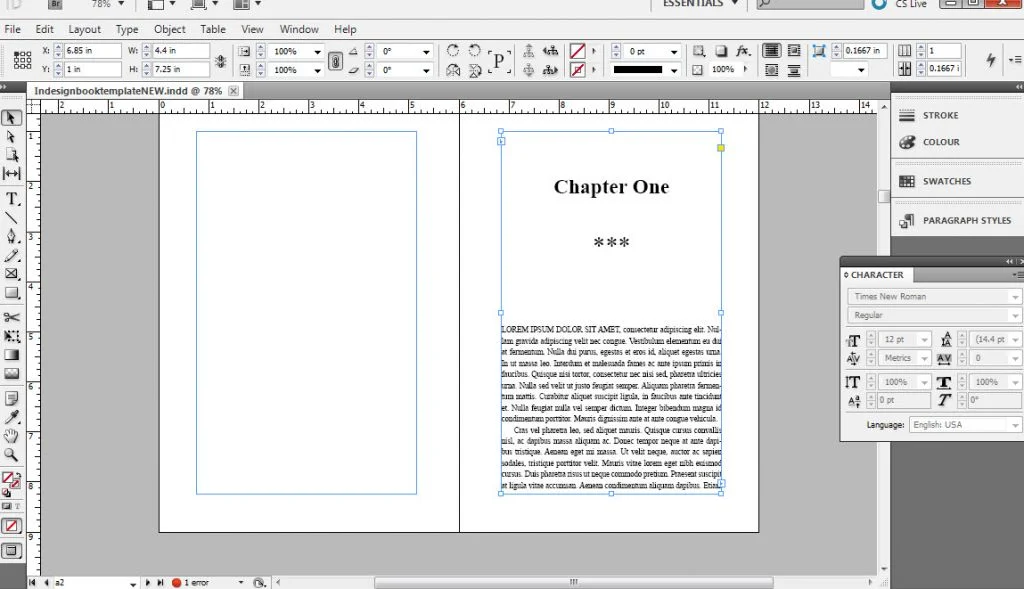
Learning how to format book example files can be a game-changer for aspiring authors. Formatting a book is not just about appearance, it directly affects readability, professionalism, and acceptance on publishing platforms like Amazon Kindle or Barnes & Noble. A poorly formatted book may confuse readers or even get rejected during submission. Fortunately, with the right structure and understanding, you can easily create a professional-looking layout without hiring a designer.
Most self-publishing authors use tools like Microsoft Word or Google Docs, and they all follow a similar pattern. You start with the correct page size and margins, move on to font choices and paragraph styles, and then finalize your manuscript with headers, footers, and section breaks. A clear how-to-format book will also include front and back matter like a title page, dedication, and author bio, which all contribute to a complete book experience.
In this article, you’ll find a breakdown of essential formatting components, visual layout ideas, and step-by-step examples that you can replicate. Whether you’re writing fiction, nonfiction, or memoirs, these tips will guide you through every stage of book formatting so your manuscript is both print-ready and visually appealing. By the end, you’ll feel confident in turning your draft into a polished book suitable for publication.
Page Layout and Structure: How to Format Book Example Basics
The first step in how to format book example templates is setting the correct page size and margins. In Word, go to the “Layout” tab and set your page size accordingly. Use mirror margins and a gutter margin of about 0.75 to 1 inch to allow space for bookbinding.
Paragraphs should be indented (usually 0.3 to 0.5 inches), and avoid using tabs or multiple spaces for indentation. Stick to classic fonts like Times New Roman, Georgia, or Garamond at 11 or 12 pt size.
Create clean chapters by using “Heading 1” for titles and “Normal” for body text. Keep alignment left-justified for readability, and avoid full justification if your book will be read on different devices. Book publisher refers to an individual or company that manages the production, printing, distribution, and marketing of a book. They often provide editing, cover design, and promotional services, helping authors bring their manuscripts to a wide audience.
Front and Back Matter Formatting Essentials
An essential part of how to format book example content is including the correct front and back matter. This gives your book structure and professionalism.
The main content should begin on an odd-numbered page (right side in print) and should be numbered from this point onward. If you’re including acknowledgments or a foreword, each of these should begin on a new page and follow consistent formatting with the body of the book.
At the end, include an “About the Author” page. This can contain a short bio, a list of previous works, and links to your website or social media handles. The formatting here should be consistent with the rest of the text, typically left-aligned with a smaller font.
In the midbody of your book, be sure your formatting is consistent. Recheck that all paragraphs follow the same indentation, margins, and font settings. It is a common place where mistakes happen, especially with spacing. Book publishers range from large traditional houses like Penguin Random House and HarperCollins to smaller independent presses. Each publisher has its own submission guidelines and may focus on specific genres or markets.
Using Styles and Navigation Efficiently
As you build your how to format book example, using Styles allows you to maintain consistency and create a navigable document. Apply Heading 1 for chapters, Heading 2 for sub-sections (if any), and Normal for the main body text.
Using Styles also allows you to auto-generate a table of contents, which is especially useful for digital formats like EPUB. Go to “References” and click on “Table of Contents” to insert a clickable version. This will help readers jump to specific chapters easily.
Use section breaks to manage headers, footers, and page numbering separately for different parts of your book. For example, you may want Roman numerals in the front matter and Arabic numerals in the main content. Styles and section breaks make this easier to manage without manually adjusting each page. Publish my book is a common goal for authors seeking to share their work with readers. Writers can choose between traditional publishing, where the publisher takes control of production and distribution, or self-publishing, where the author handles or outsources the entire process independently.
Common Mistakes to Avoid in Formatting
It’s easy to make small errors when trying to follow a how to format book example. One of the biggest mistakes is manually adding spaces and tabs instead of using Styles. This creates inconsistency and problems during conversion to other formats like MOBI or EPUB.
Avoid using multiple fonts. Limit yourself to one font for body text and another for headings, if necessary. Overuse of bold, italics, or underlining can also disrupt readability. Simplicity is key.
Another mistake is not checking section breaks and page breaks before exporting your document. Without them, chapter titles may appear in the middle of pages, and the table of contents might be inaccurate. Always review your final version in Print Preview or export it as a PDF to inspect layout.
Using spelling and grammar checks is also essential. While not directly part of formatting, a well-edited manuscript improves the perception of professionalism and care in the final product.
If you’re wondering how to format book example layouts for self-publishing, it all comes down to organization, consistency, and correct use of Word’s tools. By using page breaks, Styles, correct margins, and structured front and back matter, you ensure your book looks and reads professionally. Whether you plan to release a print edition or an eBook, well-executed formatting can enhance readability and make your work more marketable. With practice and attention to detail, formatting will become a seamless part of your publishing process.


